Source From Here
Preface
We know Array provides a useful API:collect/API:collect! to help use collect element from Array. For example, if I want to collect even number from an array:
But what if I need to use index of element as judge condition? For example, I have another array b with true/false to tell me if this element will be kept in collected array:
How-To
Fortunately, we have a Enumerator module to help on this case. Let's try it as below:
AP:obj.to_enum(method = :each, *args) will create a new Enumerator which will enumerate by on calling method on obj.
Supplement
* Stackoverflow - How to get a random number in Ruby?
2014年10月29日 星期三

[文章收集] Snort : Customized AppId Lua Script as Detector
Overview
In Snort version 2.9.7, Cisco will release a new dynamic preprocessor OpenAppID, which will add application identification to Snort capabilities. Application identification can be used to view how applications are using network resources and to enforce application aware rules to control and manage applications running on network.
Cisco will release open source code for hundreds of application detectors that can be used to identify frequently used applications. Users are free to copy and modify Cisco-provided detectors and create new detectors. The detectors will be small Lua programs that use a C-Lua API to interact with OpenAppID preprocessor. So far, OpenAppId support Up to 4 apps identified in each session.
Detector Code Structure
A detector has the following main components. The Detector Info Header, the included required libraries, the DetectorPackageInfo, the DetectorInit function, the DetectorValidator function, and the DetectorClean. We will describe each of them in more details below.
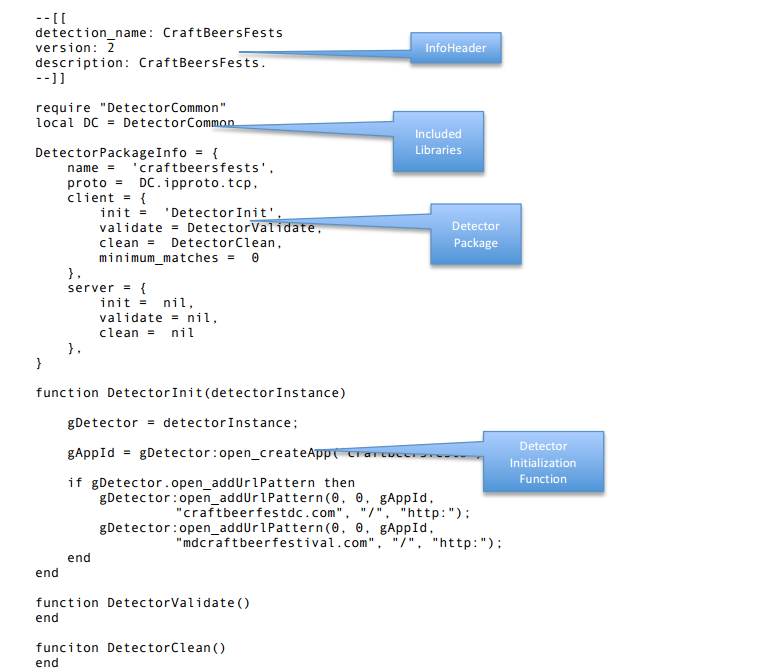
Rule Example
So you can Writing Snorts Rules to detect App:
Custom Detector
Here we will go through a simple example on how to write a lua script to detect "CircleCityCon.com"!
Port
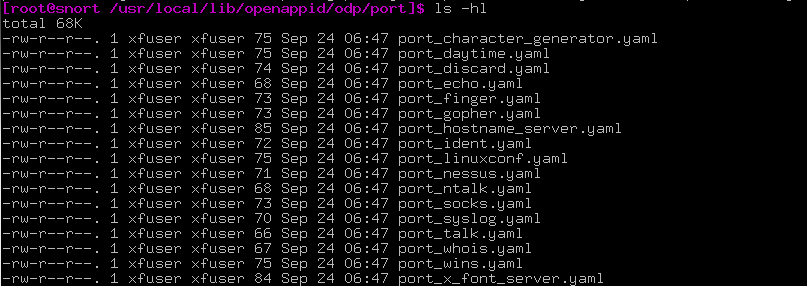
Besides the lua script, the simplest way to identify app is using port information (List of TCP/UDP port number). Below is one of the example:
-/odp/port/port_finger.yaml
More can be found under /odp/port/ :
Lua Script
Another approach is to write lua script to capture the symptom of traffic. First thing is to defined the header:
In order to keep the detectors short, some commonly used code can placed into a library. Here the Cisco detector is including a library DetectorCommon.lua (Under odp/lib folder) and creating a shortcut ‘DC’ to it. Cisco libraries must be placed into the odp/libs subdirectory under the directory where Cisco Open Detector Package (ODP) was installed. This path is automatically included in the Lua path. Users can create more libraries and place them in
The DetectorPackageInfo structure is required in each detector. It identifies client and server functions that will be called to initialize, validate (process packets) and cleanup the detector. OpenAppID preprocessor reads this structure after loading Lua code and calls initialization functions.
The structure has the following elements:
* DetectorPackageInfo.name: This is a name for the detector that is used for logging purpose.
* DetectorPackageInfo.proto: Protocol value. It can be DC.ipproto.tcp or DC.ipproto.udp.
* DetectorPackageInfo.client: If the detector identifies client side application (for example Firefox) then this structure is populated. Detectors for payload application (example Facebook) will provide client section only. The following functions can be provided:
* DetectorPackageInfo.server: If the detector identifies a server side application (for example Apache web server) then this structure is populated. The structure provides init, validate and clean function names that have same purpose as in client side.
Each detector must have an initializer function that is present in the DetectorPackageInfo structure. OpenAppID preprocessor will call this function directly upon loading the detector. The function is given detectorInstance, an instance of Detector class, which should be stored globally and used for calling all Lua-C API functions. The function may perform one or more of the following:
So for our customized detector for "circlecitycon.com", we prepare below three AppId inside DetectorInit():
Ps. App names should be less than 16 characters.
- void open_addUrlPattern(serviceAppId, clientAppId, payloadAppId, hostpattern, pathPattern, schemePattern) :
- int open_createApp(appName) :
So our entire lua script to detect "circlecitycon.com" is named circlecity.lua :
- circlecity.lua
Demo
So we have our lua script circlecity.lua to detect "circlecitycon.com". First thing first, let's put this lua script under path
Then try to open browser and key-in "circlecitycon.com":

And click on the top menu: Talks->Schedule:
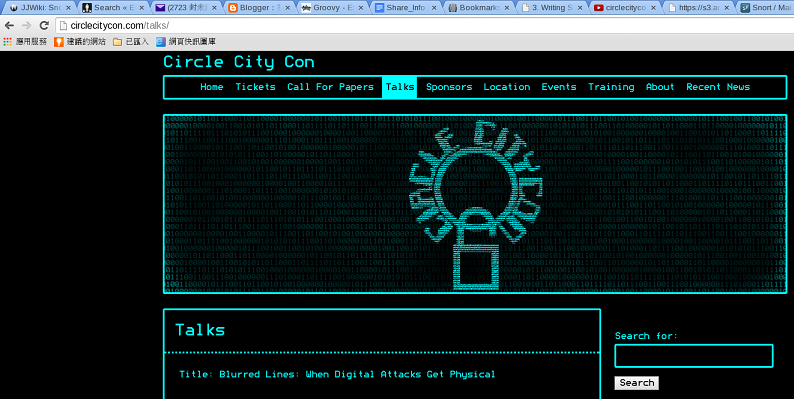
Finally, click on the link "Buy Tickets Here" in the right side:
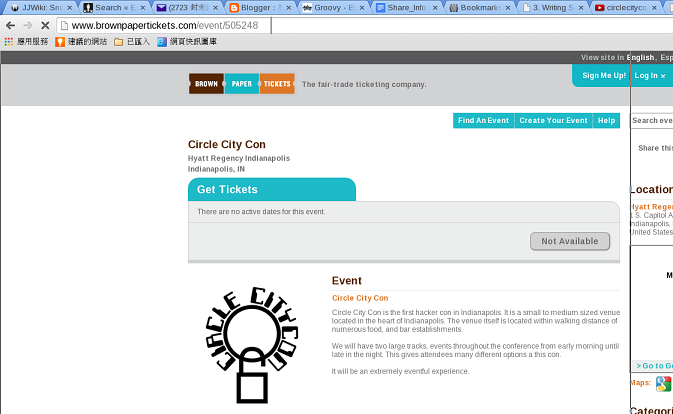
And wait for while until you see the log message look like below appear in the terminal running snort:
We can use command u2openappid to read the log file /var/log/snort/appstats-unified.log.1414568940 or use another simple useful shell chkAppidLog.sh to do it for us:
Or
Reference
* OpenDetectorDeveloperGuide.pdf
* Youtube - circlecitycon 114 openappid open source ...irewall with snort adam hogan
* Snort User Manual 2.9.6
In Snort version 2.9.7, Cisco will release a new dynamic preprocessor OpenAppID, which will add application identification to Snort capabilities. Application identification can be used to view how applications are using network resources and to enforce application aware rules to control and manage applications running on network.
Cisco will release open source code for hundreds of application detectors that can be used to identify frequently used applications. Users are free to copy and modify Cisco-provided detectors and create new detectors. The detectors will be small Lua programs that use a C-Lua API to interact with OpenAppID preprocessor. So far, OpenAppId support Up to 4 apps identified in each session.
Detector Code Structure
A detector has the following main components. The Detector Info Header, the included required libraries, the DetectorPackageInfo, the DetectorInit function, the DetectorValidator function, and the DetectorClean. We will describe each of them in more details below.
Rule Example
So you can Writing Snorts Rules to detect App:
- alert tcp any any -> any any(msg: "Get Back to Work";
- appid: facebook reddit;
- sid:1000000;
- rev:1)
Here we will go through a simple example on how to write a lua script to detect "CircleCityCon.com"!
Port
Besides the lua script, the simplest way to identify app is using port information (List of TCP/UDP port number). Below is one of the example:
-
- name: finger
- service_name: finger
- protocol: tcp/udp
- ports: 79
- appId: 637
Lua Script
Another approach is to write lua script to capture the symptom of traffic. First thing is to defined the header:
- require "DetectorCommon"
- local DC = DetectorCommon
- DetectorPackageInfo = {
- name = "circleCity",
- proto = DC.ipproto.tcp,
- client = {
- init = 'DetectorInit',
- clean = nil,
- validate = nil,
- minimum_matches = 0
- },
- server = {
- init = nil,
- validate = nil,
- clean = nil
- },
- }
The DetectorPackageInfo structure is required in each detector. It identifies client and server functions that will be called to initialize, validate (process packets) and cleanup the detector. OpenAppID preprocessor reads this structure after loading Lua code and calls initialization functions.
The structure has the following elements:
* DetectorPackageInfo.name: This is a name for the detector that is used for logging purpose.
* DetectorPackageInfo.proto: Protocol value. It can be DC.ipproto.tcp or DC.ipproto.udp.
* DetectorPackageInfo.client: If the detector identifies client side application (for example Firefox) then this structure is populated. Detectors for payload application (example Facebook) will provide client section only. The following functions can be provided:
* DetectorPackageInfo.server: If the detector identifies a server side application (for example Apache web server) then this structure is populated. The structure provides init, validate and clean function names that have same purpose as in client side.
Each detector must have an initializer function that is present in the DetectorPackageInfo structure. OpenAppID preprocessor will call this function directly upon loading the detector. The function is given detectorInstance, an instance of Detector class, which should be stored globally and used for calling all Lua-C API functions. The function may perform one or more of the following:
So for our customized detector for "circlecitycon.com", we prepare below three AppId inside DetectorInit():
- function DetectorInit(detectorInstance)
- gDetector = detectorInstance
- gAppId = gDetector:open_createApp('CrcCtyCon');
- if gDetector.open_addUrlPattern then
- gDetector:open_addUrlPattern(0,0,gAppId,"circlecitycon.com", "/", "http:");
- end
- gAppId = gDetector:open_createApp('CrcCtyConSched');
- if gDetector.open_addUrlPattern then
- gDetector:open_addUrlPattern(0,0,gAppId,"circlecitycon.com", "/talks/schedule", "http:");
- end
- gAppId = gDetector:open_createApp('CrcCtyConTix');
- if gDetector.open_addUrlPattern then
- gDetector:open_addUrlPattern(0,0,gAppId,"brownpapertickets.com", "/event/505248", "http:");
- end
- end
- void open_addUrlPattern(serviceAppId, clientAppId, payloadAppId, hostpattern, pathPattern, schemePattern) :

- int open_createApp(appName) :

So our entire lua script to detect "circlecitycon.com" is named circlecity.lua :
- circlecity.lua
- require "DetectorCommon"
- local DC = DetectorCommon
- DetectorPackageInfo = {
- name = "circleCity",
- proto = DC.ipproto.tcp,
- client = {
- init = 'DetectorInit',
- clean = nil,
- validate = nil,
- minimum_matches = 0
- },
- server = {
- init = nil,
- validate = nil,
- clean = nil
- },
- }
- function DetectorInit(detectorInstance)
- gDetector = detectorInstance
- gAppId = gDetector:open_createApp('CrcCtyCon');
- if gDetector.open_addUrlPattern then
- gDetector:open_addUrlPattern(0,0,gAppId,"circlecitycon.com", "/", "http:");
- end
- gAppId = gDetector:open_createApp('CrcCtyConSched');
- if gDetector.open_addUrlPattern then
- gDetector:open_addUrlPattern(0,0,gAppId,"circlecitycon.com", "/talks/schedule", "http:");
- end
- gAppId = gDetector:open_createApp('CrcCtyConTix');
- if gDetector.open_addUrlPattern then
- gDetector:open_addUrlPattern(0,0,gAppId,"brownpapertickets.com", "/event/505248", "http:");
- end
- end
- function DetectorValidate()
- end
So we have our lua script circlecity.lua to detect "circlecitycon.com". First thing first, let's put this lua script under path
Then try to open browser and key-in "circlecitycon.com":
And click on the top menu: Talks->Schedule:
Finally, click on the link "Buy Tickets Here" in the right side:
And wait for while until you see the log message look like below appear in the terminal running snort:
We can use command u2openappid to read the log file /var/log/snort/appstats-unified.log.1414568940 or use another simple useful shell chkAppidLog.sh to do it for us:
Or
Reference
* OpenDetectorDeveloperGuide.pdf
* Youtube - circlecitycon 114 openappid open source ...irewall with snort adam hogan
* Snort User Manual 2.9.6
訂閱:
文章 (Atom)
[Git 常見問題] error: The following untracked working tree files would be overwritten by merge
Source From Here 方案1: // x -----删除忽略文件已经对 git 来说不识别的文件 // d -----删除未被添加到 git 的路径中的文件 // f -----强制运行 # git clean -d -fx 方案2: 今天在服务器上 gi...
-
 CNN 卷積神經網路簡介 STEP1. 卷積神經網路介紹 CNN 卷積神經網路可以分成兩大部分: * 影像的特徵提取 : 透過 Convolution 與 Max Pooling 提取影像特徵. * Fully connected Feedforward n...
 -
Understanding the core indexing classes : As you saw in our Indexer class ( A simple application ), you need the following classes to...
-
前言 : 為什麼程序管理這麼重要呢?這是因為: * 首先,本章一開始就談到的,我們在操作系統時的各項工作其實都是經過某個 PID 來達成的 (包括你的 bash 環境), 因此,能不能進行某項工作,就與該程序的權限有關了。 * 再來,如果您的 Linux 系統是個...
